An app for Shopify stores
The store tools you need, in one app
Show offers at the top of every page, and reward customers who come back. Turn on each tool with a switch, and set it up on its own page.
Coming soon to the Shopify App Store
See the tools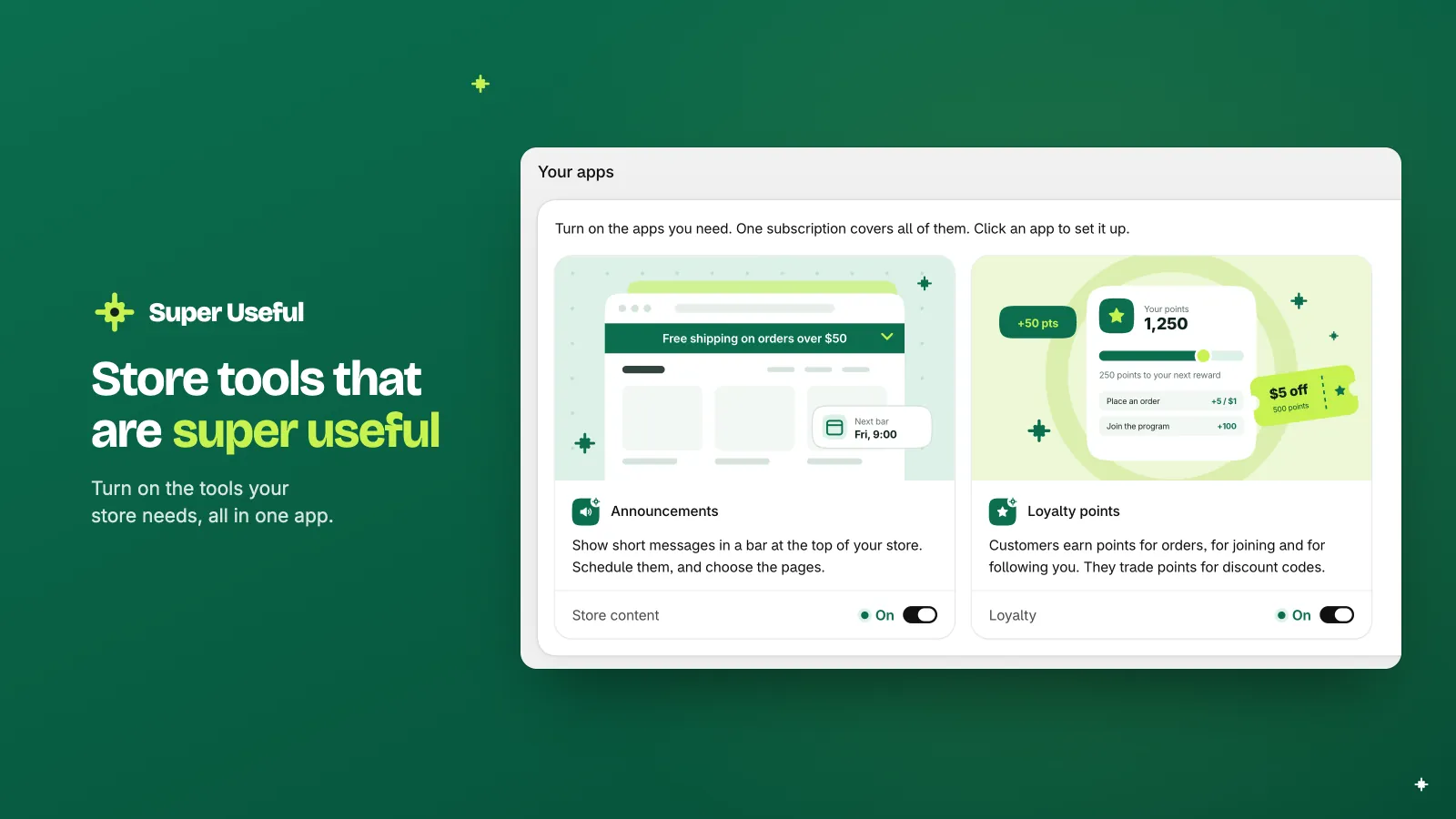
Announcements
Tell every visitor about your offers
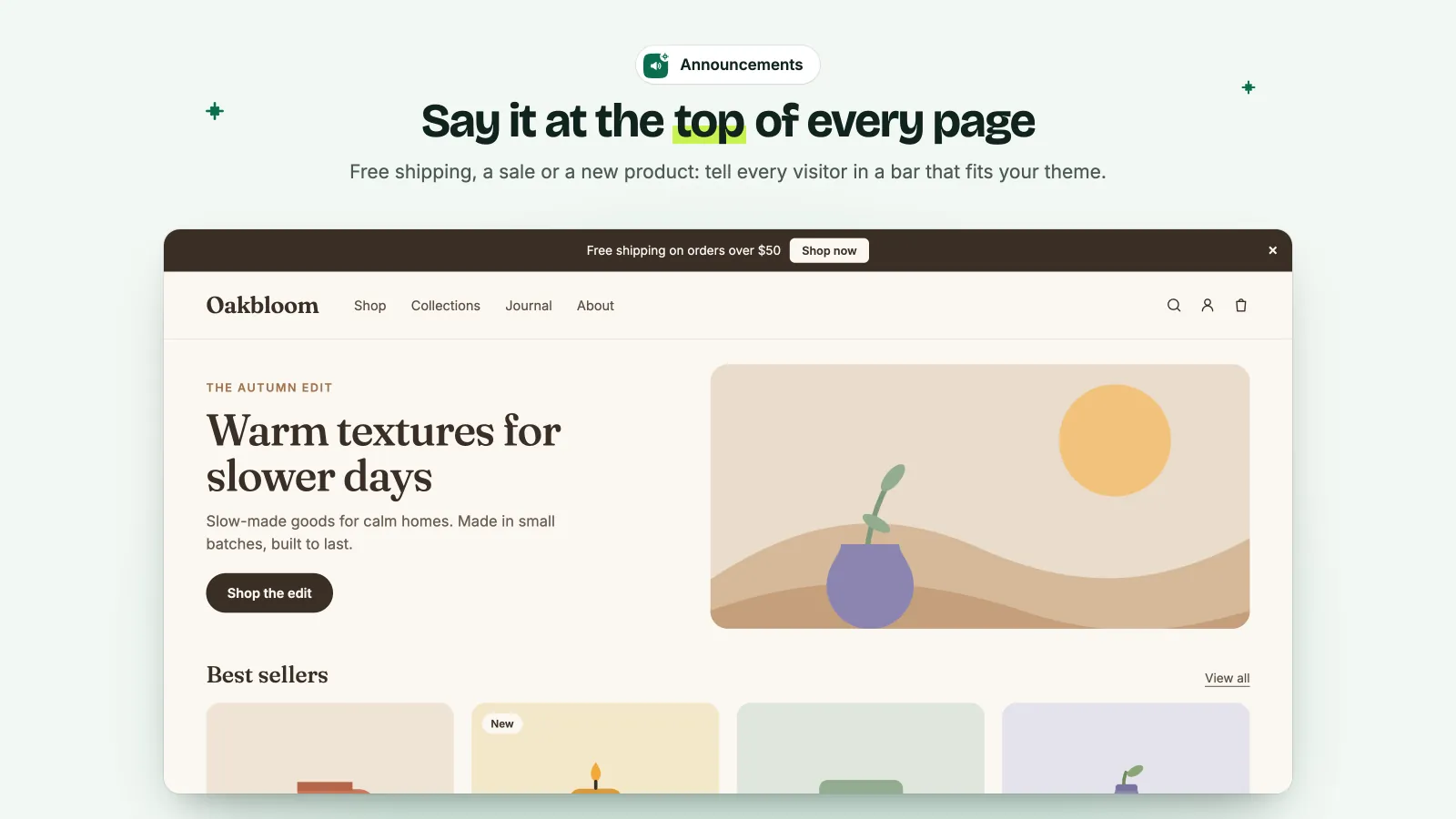
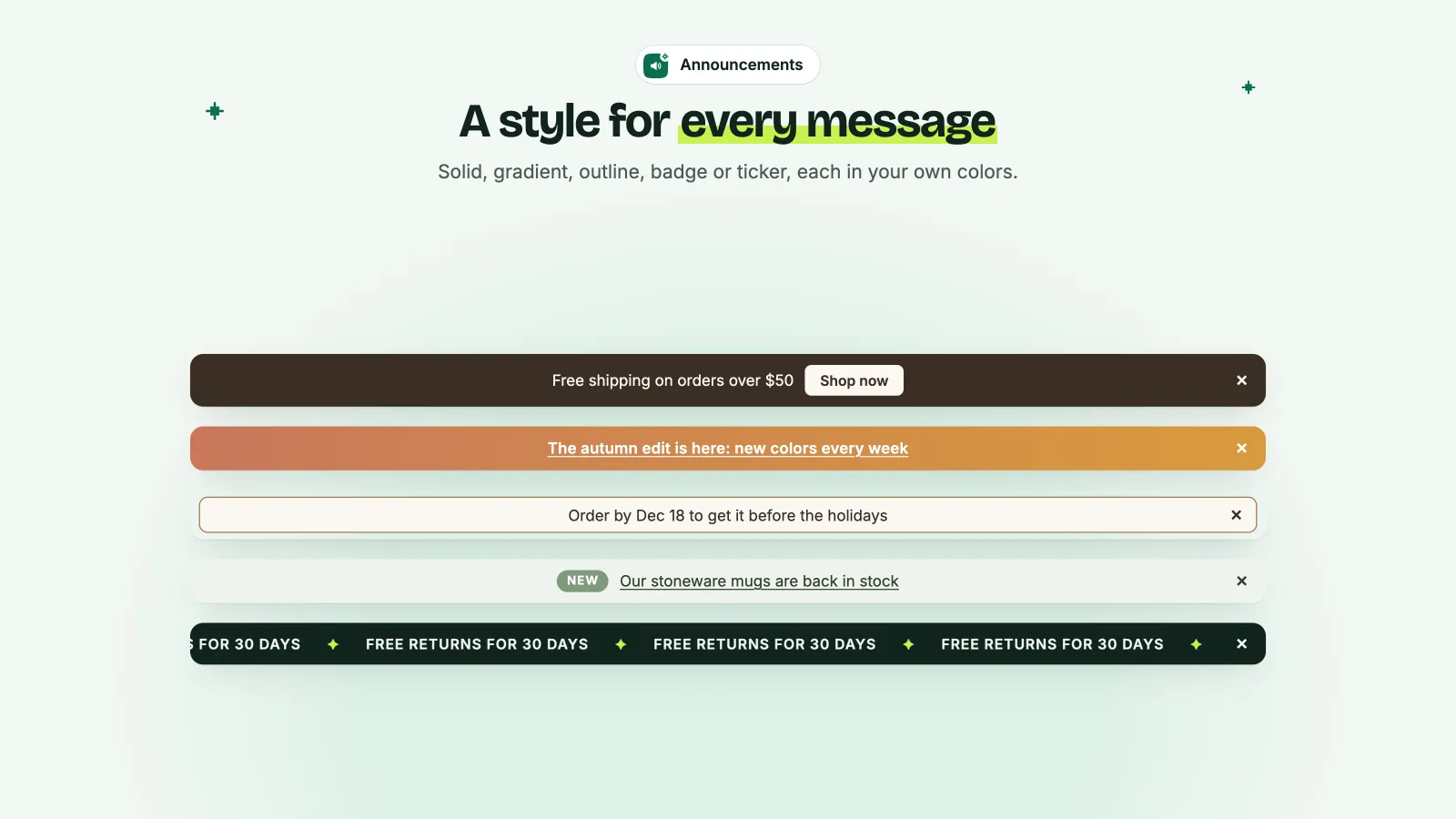
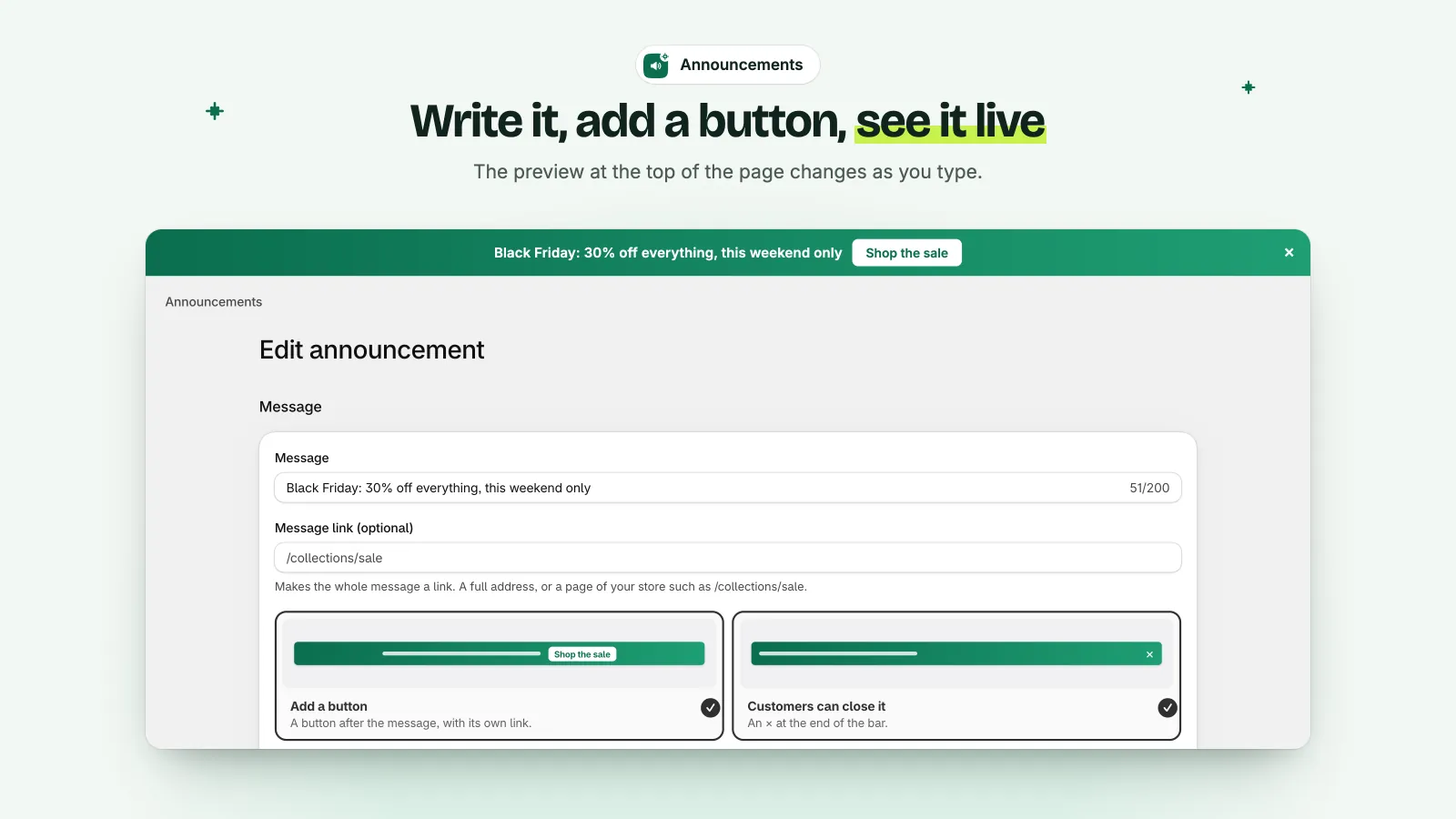
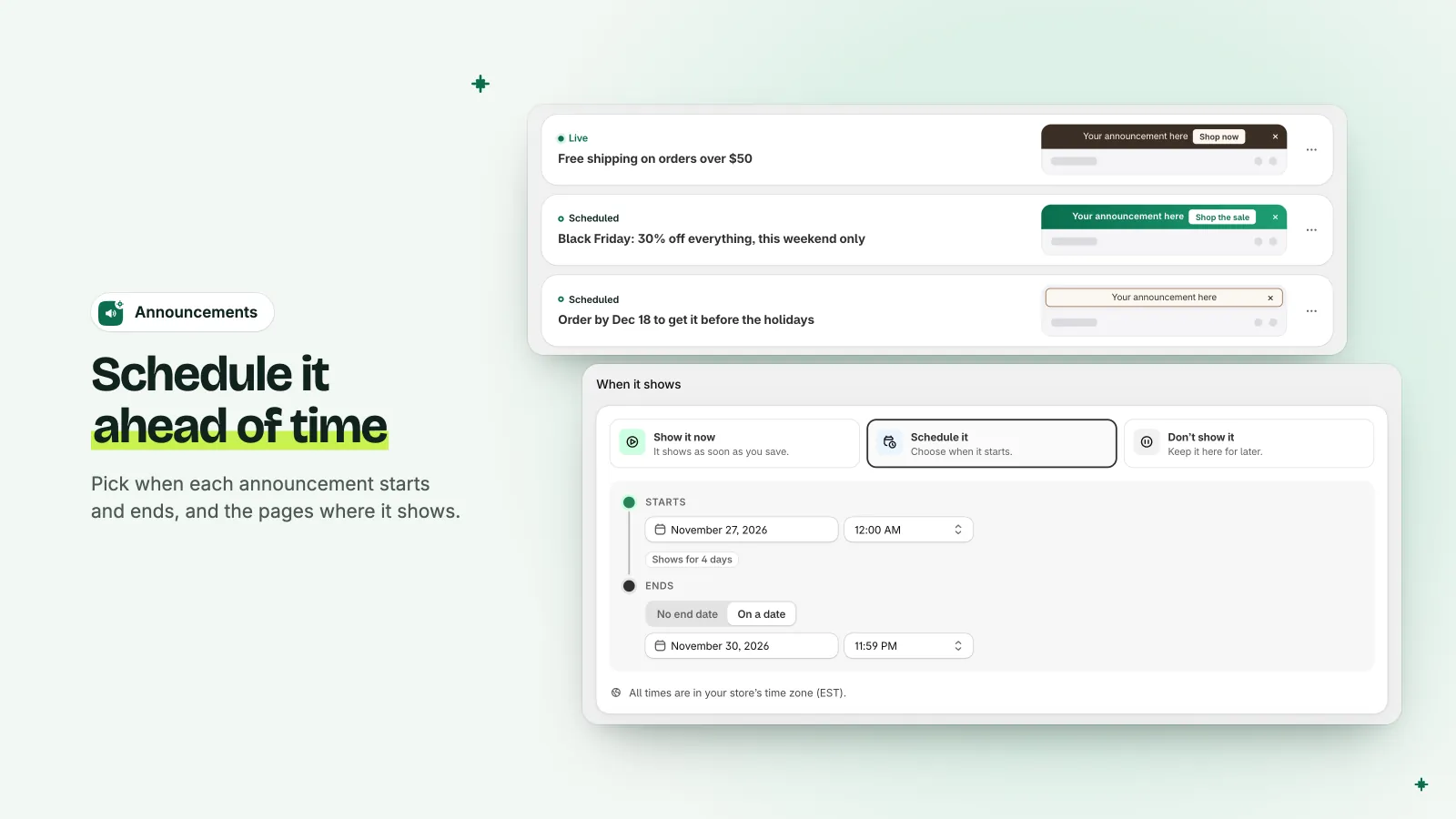
Show a bar at the top of your store, with a link or a button. Pick a style and your colors, plan the dates, and choose the pages.
- Solid, gradient, outline, badge or ticker style, in your colors
- A link on the message, or a button with its own link
- A start and an end date, in your store's time zone
- All pages, or only the pages that you choose
- Many bars, each with its own schedule
Loyalty points
Reward customers who come back
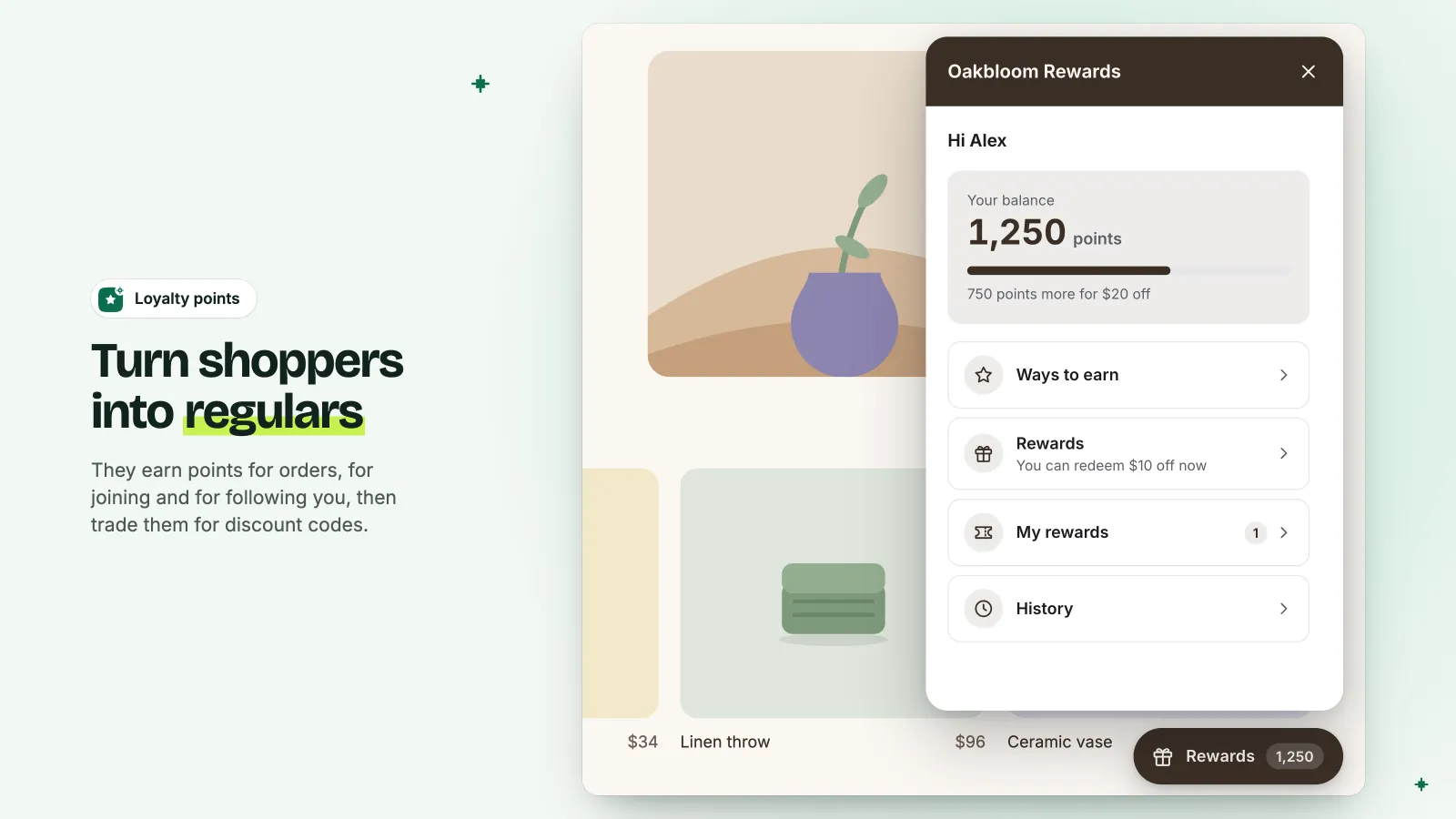
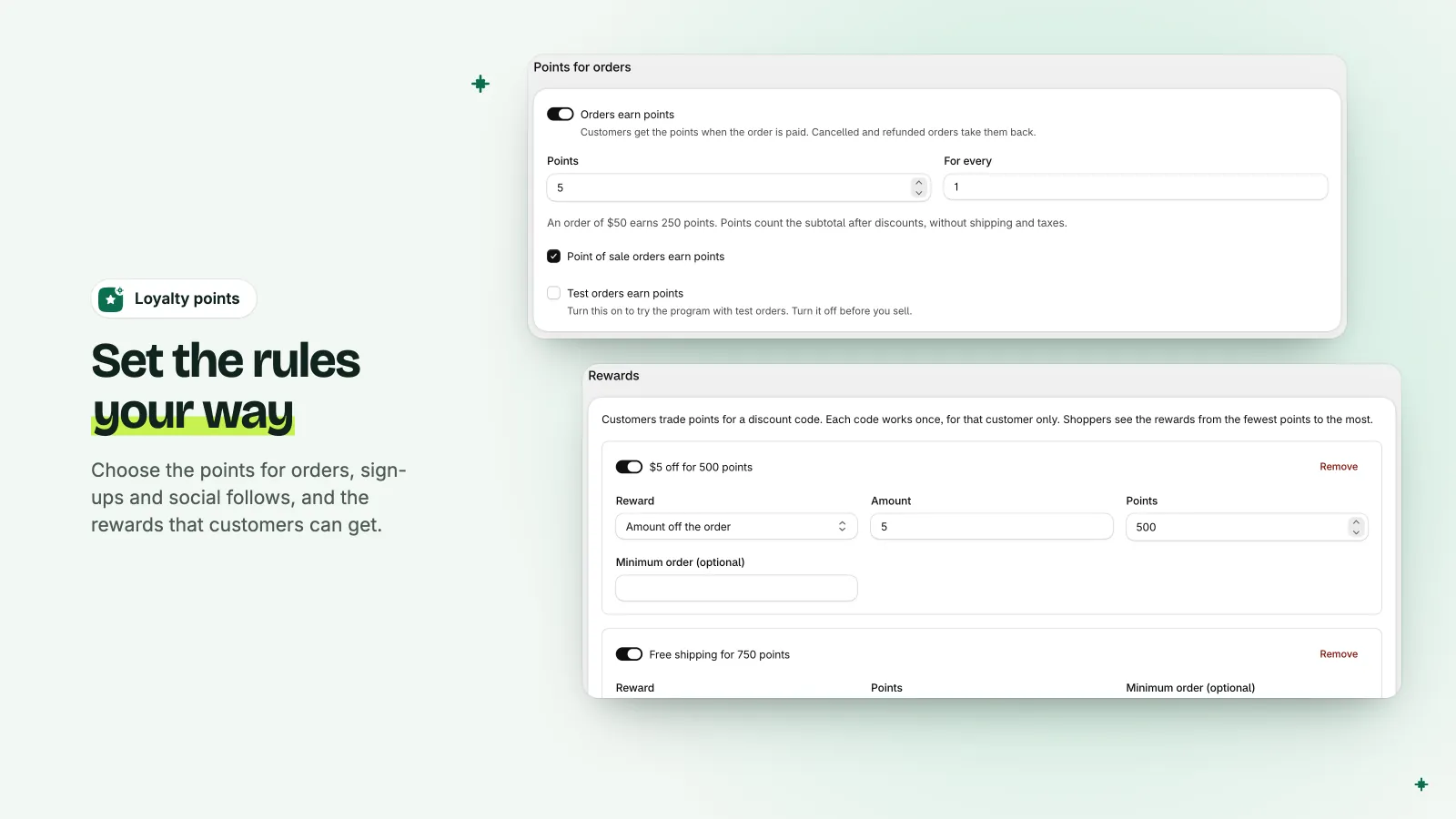
Customers earn points for orders, for joining and for following you. They trade the points for discount codes in a rewards panel in your colors, in English or French.
- Points for paid orders. Cancelled and refunded orders take them back.
- Welcome points, and points for follows on social networks
- Rewards: an amount off, a percentage off, or free shipping
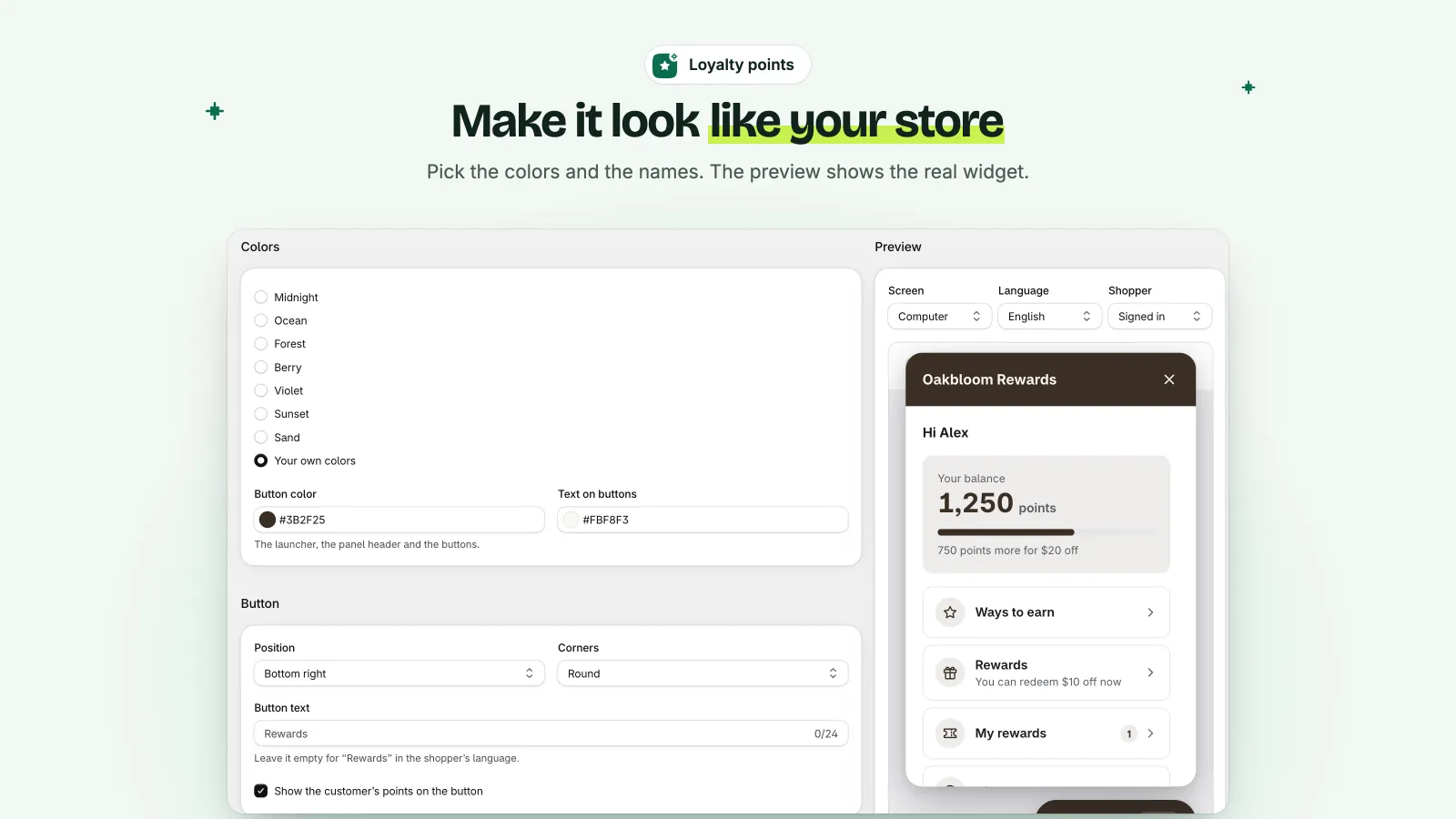
- A rewards button and panel in your colors, with a live preview
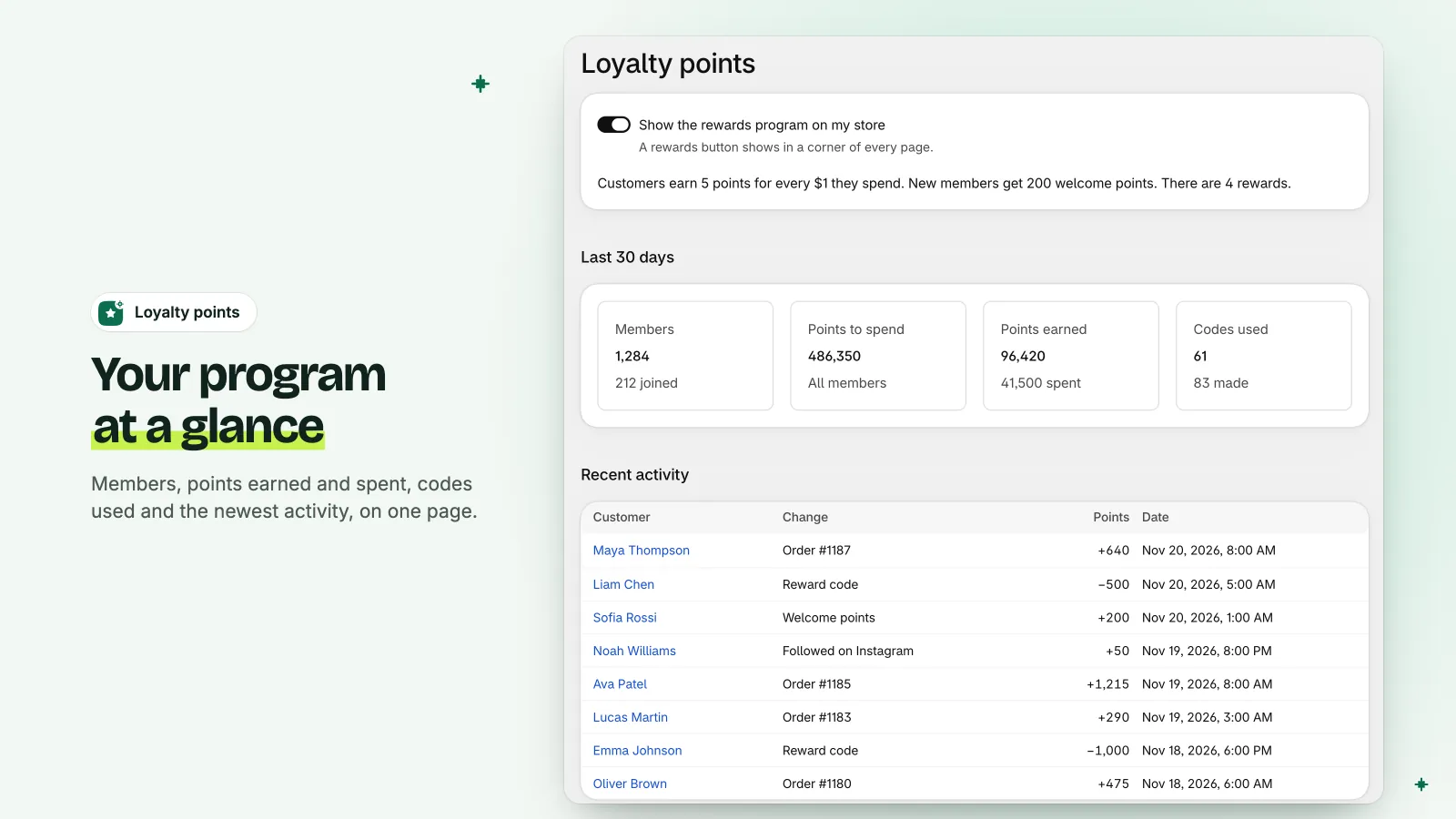
- Your members, their points and their codes, in your Shopify admin
Why one app
One subscription
One plan covers all the tools. Shopify adds it to your Shopify bill.
One place to work
Turn each tool on with a switch. Set it up on its own page, in your Shopify admin.
Light on your store
One small script loads only the tools that are on. Your theme's code does not change.
Custom storefronts too
Hydrogen and other custom storefronts can show the tools with one script tag.
Start in three steps
Install the app
Get Super Useful from the Shopify App Store.
Turn on the app embed
Do it once, in your theme editor. The app's home page has a link to it.
Turn on your tools
Use the switches on the Apps page. Then set up each tool on its own page.
Questions?
Read the questions and answers, or write to us at support@superuseful.io.
Coming soon to the Shopify App Store